
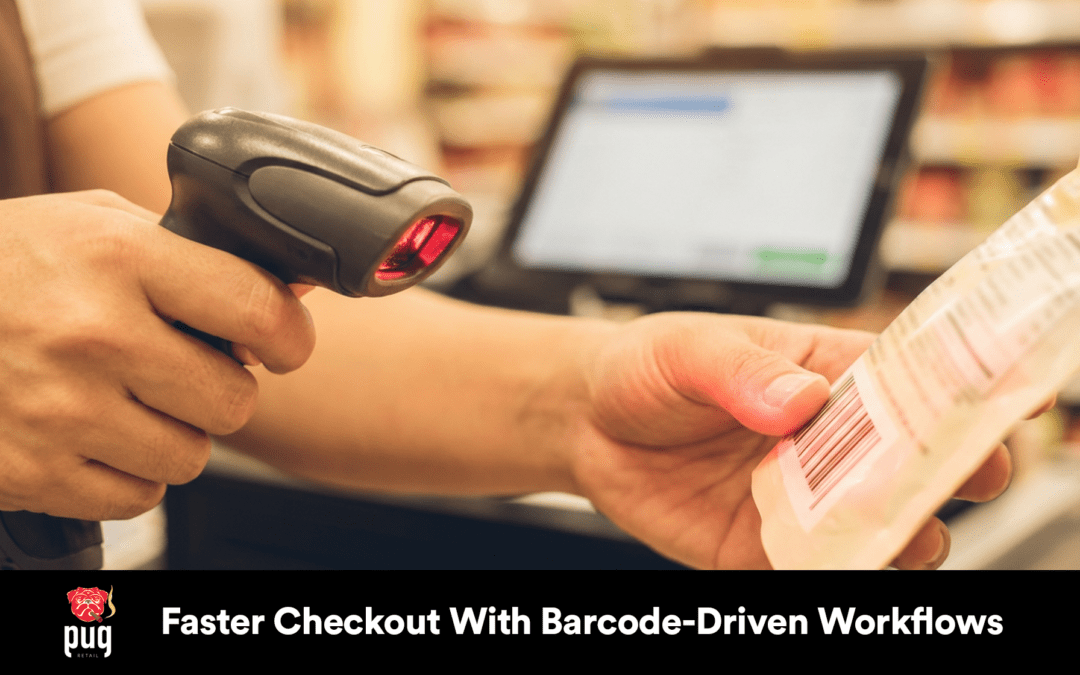
?Are long checkout lines costing you customers and sales?
Faster Checkout With Barcode-Driven Workflows
Barcode-driven workflows are one of the most practical ways to speed up checkout, reduce errors, and keep inventory accurate in real time. In this guide you’ll learn how barcode inventory systems, barcode scanning, and modern point-of-sale (POS) systems work together to create faster transactions, streamlined operations, and measurable increases in customer satisfaction and sales. You’ll also see how Pug POS (pugretail.com) fits into that picture and how Big Hairy Dog has been providing support for Pug POS for over 30 years.
What is a barcode-driven workflow?
A barcode-driven workflow uses barcode scanning and automated processes at multiple touchpoints—receiving, stocking, price verification, and checkout—to identify items, update inventory, and finalize transactions quickly and accurately. Instead of typing SKUs or manually reconciling counts, barcode readers capture item data and feed it into your inventory management and point-of-sale systems for immediate action.
This type of workflow emphasizes transaction speed, error reduction, and automated inventory updates so you and your staff can spend more time serving customers and less time correcting mistakes.
What are barcode inventory systems?
Barcode inventory systems combine barcode labels, barcode readers, software, and rule-based processes to track items from receipt to sale. They support real-time tracking and automated inventory updates so you always know what’s in stock and what needs replenishing.
These systems form the backbone of efficient retail applications—from small boutiques using Pug POS to grocery stores with high-volume item turnover.
Core components of a barcode inventory system
- Barcode labels and barcode formats to uniquely identify items.
- Barcode scanners or readers that capture codes at point-of-sale or during stock movements.
- Inventory management and POS software to update counts and pricing automatically.
- Integration with payment gateways and other back-office systems for end-to-end transactions.
Each component must be chosen and configured to match your business size, product mix, and operational goals.
How barcode scanning and barcode readers work
Barcode scanning converts a printed or on-screen barcode into a digital identifier that your POS or inventory system recognizes. Barcode readers range from handheld lasers and imaging scanners to fixed-mount devices and smartphone cameras.
With the right barcode reader, you can dramatically increase transaction speed and item identification accuracy, especially when coupled with software that supports automated inventory updates and real-time tracking.
Types of barcode readers and when to use them
- Handheld laser scanners: Good for general retail and medium-paced checkout lanes.
- 2D imaging scanners: Read QR codes and 2D barcodes; excellent when you need more data per code.
- Fixed-mount scanners: Ideal for self-checkout or high-volume lanes in grocery stores.
- Mobile device scanners (smartphones/tablets): Low-cost option for mobile POS and stock-taking.
- 3D camera systems (e.g., Mashgin-style): Use AI and depth perception to identify multiple items simultaneously without scanning each barcode individually—ideal for ultra-fast checkout workflows.
Choosing the right reader affects transaction speed, accuracy, and staff training requirements.
Barcode formats (1D vs 2D) and retail applications
Understanding barcode formats helps you pick the right approach for inventory management, item identification, and customer interaction.
| Barcode format | Common uses | Pros | Cons |
|---|---|---|---|
| 1D (UPC, EAN) | Most packaged retail goods, grocery items | Fast scanning, widely supported by POS systems | Limited data capacity, requires visible code |
| 2D (QR, Data Matrix) | Loyalty cards, product info, serial numbers | Can store more data, resilient to damage | Requires imaging scanner, slightly slower to decode |
| Proprietary/Coded labels | Serialized inventory, internal SKUs | Highly customizable | Requires system setup, consistent labeling |
Most small retailers will continue using 1D barcodes for everyday items, but 2D codes and hybrid solutions are gaining traction for richer data and omnichannel applications.
How barcode-driven checkout solutions accelerate transaction speed
Barcode scanning eliminates manual entry and leverages barcode readers to identify items in a fraction of a second. When paired with a modern POS like Pug POS, each scan triggers an automated inventory update and prepares the payment gateway integration for a swift transaction.
- Single-scan recognition reduces per-item handling time.
- Automated price lookup avoids manual pricing errors.
- Integrated payment gateways accelerate settlement and receipt generation.
For grocery stores and high-volume retailers, small gains in per-item scanning time compound into dramatic improvements in throughput and customer satisfaction.
Point-of-sale (POS) systems and payment gateway integration
Your POS system is the command center for barcode-driven workflows. It receives scanned item data, calculates totals, applies promotions or loyalty discounts, and interacts with payment gateway integrations to settle transactions.
Pug POS (pugretail.com) is built specifically for small retailers and supports barcode scanning, automated inventory updates, and payment gateway integration. It’s designed to streamline retail operations without the complexity of systems built for restaurants or cafes. Big Hairy Dog has been providing support for Pug POS for over 30 years, so you get seasoned assistance when integrating barcode workflows into your store.
Key POS features to look for
- Native barcode scanning and support for multiple barcode formats
- Real-time tracking and inventory management
- Seamless payment gateway integration for quick settlements
- Reporting for sales increase measurement and shrink control
- Staff management and permissions for controlled operations
Selecting a POS with robust barcode support reduces integration overhead and shortens staff training time.
Real-time tracking and automated inventory updates
One of the most powerful outcomes of barcode workflows is real-time tracking: your inventory counts update immediately when items are sold, transferred, or received. This reduces stockouts, avoids overstocks, and gives you accurate data for purchasing decisions.
Automated inventory updates:
- Trigger reorder points based on sales velocity
- Improve supply chain management by providing timely demand signals
- Reduce manual cycle counting and associated labor
When your POS and inventory management systems talk to each other seamlessly, you benefit from better forecasting and more efficient replenishment processes.
Supply chain management improvements from barcode-driven workflows
Barcodes aren’t only for checkout. Using barcodes during receiving, cross-docking, and warehouse picking improves supply chain accuracy and throughput.
- Faster receiving reduces dock-to-stock time.
- Accurate item identification cuts back order errors and returns.
- Real-time inventory visibility at multiple locations supports better distribution decisions.
These changes translate to a leaner supply chain, lower carrying costs, and faster time-to-shelf for new merchandise.
Error reduction and efficiency improvement
Manual entry mistakes, price mismatches, and mis-picks are common causes of lost revenue and customer complaints. Barcode scanning reduces human error by ensuring each item’s identity is captured correctly and consistently.
Efficiency gains include:
- Reduced transaction times per customer
- Fewer price-check interruptions
- Faster audits and reconciliations
Collectively, these improvements enhance the customer experience and increase throughput without increasing staff headcount.
Customer experience and customer satisfaction
For customers, a fast and accurate checkout is a top driver of satisfaction. Smooth, predictable transactions reduce friction, increase repeat visits, and encourage higher basket sizes.
- Faster checkout decreases abandonment and improves impulse purchase conversion.
- Accurate pricing and receipts build trust and reduce disputes.
- Integration with loyalty programs and receipts enhances personalized offers.
When customers enjoy quick visits, you’re more likely to see positive reviews, repeat business, and sales increase.
Grocery store efficiency: special considerations
Grocery stores face high SKU counts, perishable goods, and high throughput requirements. Barcode-driven workflows tailored to grocery environments deliver high returns.
- Fixed-mount scanners and conveyor-based solutions speed scanning of bulk items.
- Price and weight integration reduces manual weighing errors.
- Real-time inventory tracking helps manage perishables through FIFO and markdown automation.
For grocery environments, pairing barcode solutions with fast POS systems and robust inventory rules delivers measurable efficiency improvement.
Item identification beyond barcodes: AI technology and 3D cameras
Some cutting-edge systems combine AI technology with 3D cameras to identify items visually without requiring barcode scanning for each item. Companies like Mashgin use computer vision and depth-sensing cameras to recognize items placed on a checkout surface and ring them up in half a second per item or less.
These technologies add value where barcode labels are absent, damaged, or difficult to scan—single-item displays, loose produce, and non-bar-coded bulk items. They can be integrated alongside barcode scanning to create hybrid workflows that further reduce transaction time and improve the customer experience.
Case studies of successful implementations
Real-world examples show how barcode-driven workflows impact operations and revenue. Below are three illustrative case studies across retail settings.
Case study 1: Small boutique retail using Pug POS
A neighborhood clothing boutique adopted Pug POS with barcode inventory support and handheld scanners. After a two-week setup and staff training, they saw:
- 40% reduction in checkout time per customer
- 15% fewer pricing errors
- 10% sales increase within three months due to faster transaction speed and better stock visibility
Big Hairy Dog provided ongoing support during rollout, leveraging 30 years of POS experience to ensure the boutique’s SKU mapping and barcode formats matched their current labeling.
Case study 2: Mid-sized grocery implementing mixed scanning + 3D camera
A regional grocery chain implemented fixed-mount barcode readers at most lanes and a Mashgin-style 3D camera system at select express lanes. Results included:
- Average transaction speed improvement from 5 minutes to 2 minutes in express lanes
- Decreased customer wait time and increased customer satisfaction scores by 18%
- Reduced scan errors for produce and bulk items through hybrid AI recognition
Integration challenges required custom work to bridge legacy inventory codes, but staff training and progressive rollout minimized disruptions.
Case study 3: Warehouse and supply chain optimization
A distributor integrated barcode inventory systems across receiving, picking, and shipping. The company centralized data into a cloud-enabled POS and inventory platform and used automated inventory updates to drive replenishment. They achieved:
- 30% faster order fulfillment
- 25% fewer shipping errors
- Better supplier lead time planning due to real-time demand signals
These improvements reduced working capital needs and improved relationships with retail partners.
Integration challenges with legacy systems—and how to overcome them
Integrating barcode workflows into established environments can present hurdles: incompatible barcode formats, outdated database structures, and hardware mismatches are common.
Common challenges and mitigations:
- Legacy SKU codes: Map legacy SKUs to new barcode identifiers in a dedicated migration phase.
- Hardware compatibility: Use middleware or API adapters to bridge new scanners with older POS software.
- Data quality: Run a data cleanup initiative to standardize item descriptions, prices, and units of measure before rollout.
- Staff resistance: Implement gradual training and pilot programs to show immediate benefits and build buy-in.
Working with a POS provider experienced in retail transitions—such as pugretail.com backed by Big Hairy Dog support—shortens the learning curve and reduces integration risk.
Staff training: critical for success
Technology alone won’t guarantee faster checkouts—staff training does. Staff need clear instruction on scanning techniques, handling exceptions, and following standard workflows.
Training tips:
- Run role-based training sessions for cashiers, stock clerks, and managers.
- Simulate high-traffic scenarios to practice speed and accuracy.
- Provide quick-reference guides on barcode formats and troubleshooting common scanner issues.
Well-trained staff deliver faster, more accurate service, which improves customer satisfaction and maximizes your return on investment.
Consumer behavior related to checkout speed
Customers increasingly expect fast, frictionless checkout. Research and anecdotal evidence show that long lines drive cart abandonment and negatively affect repeat visitation.
Behavioral points to consider:
- Many shoppers will abandon purchases if wait times exceed a few minutes.
- Faster checkout increases impulse purchases as customers are more willing to browse.
- Consumers associate fast, accurate service with store competency and value, improving loyalty.
Improving transaction speed therefore has direct implications for sales increase and long-term customer retention.
Measuring ROI: what to track
To demonstrate the value of barcode-driven workflows, track these metrics before and after implementation:
- Average transaction time
- Items per minute scanned
- Scan error rate and price override frequency
- Inventory accuracy and shrinkage
- Sales per square foot and average basket size
- Customer satisfaction and Net Promoter Score (NPS)
These metrics will help you quantify efficiency improvement and justify further investments.
Future trends in barcode technology
Barcode tech continues to evolve. Expect these trends to shape retail in the coming years:
- Wider adoption of 2D and dynamic codes carrying richer data for product provenance and marketing.
- AI-driven vision systems like Mashgin becoming more affordable, offering hybrid barcode-plus-vision checkout.
- Mobile-first scanning workflows enabling customers to scan and pay from their phones.
- Deeper supply chain integration using real-time barcode data for automated replenishment and predictive analytics.
Preparing your systems and staff now will make future upgrades smoother.
Security and compliance considerations
As you modernize, ensure that payment gateway integration and customer data handling follow security standards like PCI DSS. Barcode data itself is low-risk, but associated systems store pricing, inventory, and customer records that must be protected.
Best practices:
- Use secure payment gateway integrations vetted by your POS provider.
- Keep software patched and use strong authentication for staff access.
- Maintain backups and audit trails for inventory and transaction changes.
Quick implementation checklist
Use this checklist to get started with barcode-driven workflows:
| Step | Action |
|---|---|
| 1 | Audit existing SKUs and barcode formats |
| 2 | Choose barcode readers (handheld, fixed, mobile, or 3D camera options) |
| 3 | Select or configure POS that supports automated inventory updates (e.g., Pug POS at pugretail.com) |
| 4 | Map SKUs and set up payment gateway integration |
| 5 | Pilot with a single register or location |
| 6 | Train staff using scenario-based sessions |
| 7 | Measure baseline metrics and track improvements |
| 8 | Roll out across locations with ongoing support from Big Hairy Dog for Pug POS users |
This approach minimizes disruption and maximizes immediate benefits.
Practical tips for small retailers using Pug POS
If you run a small retail shop, Pug POS (pugretail.com) is tailored for your needs. It supports barcode scanning, automated inventory updates, and payment gateway integrations that help you speed up checkout without unnecessary restaurant-specific features.
Tips for success:
- Start with handheld or countertop barcode readers and expand as volume grows.
- Keep barcode labels consistent—decide on UPC vs. internal SKUs and enforce labeling rules.
- Use Pug POS reporting to monitor which SKUs benefit most from faster checkout and adjust staffing accordingly.
- Leverage Big Hairy Dog’s decades of support to smooth installation and ongoing troubleshooting.
Remember: Pug POS is designed for small retailers; it is not intended for restaurants or cafes.
Common pitfalls and how to avoid them
- Overcomplicating barcode formats: Keep it simple for consistent scanning.
- Ignoring staff adoption: Make training a priority.
- Underestimating integration time: Allocate resources for data migration and testing.
- Choosing the wrong hardware: Match scanner type to your environment and volume.
Avoid these traps and you’ll get faster benefits and higher customer satisfaction.
Comparison: Traditional checkout vs. barcode-driven workflows
| Area | Traditional checkout | Barcode-driven workflow |
|---|---|---|
| Transaction speed | Slower, manual entry | Faster, automated scanning |
| Error rate | Higher due to manual input | Lower with scanned item identification |
| Inventory updates | Periodic, manual | Real-time, automated |
| Staff training | General POS use | Scanning techniques + exceptions |
| Customer satisfaction | Variable | Typically higher due to speed and accuracy |
| Supply chain visibility | Limited | Improved with item-level tracking |
This table helps illustrate why many retailers are moving to barcode-driven approaches.
Final thoughts
Barcode-driven workflows deliver tangible benefits: faster transaction speed, error reduction, real-time tracking, and improved customer satisfaction. Whether you run a small boutique or manage grocery store lanes, combining barcode scanning with a modern POS like Pug POS (pugretail.com) and leveraging Big Hairy Dog’s decades of support can shorten checkouts, streamline operations, and boost sales.
If you’re ready to see these benefits in your store, SET UP A FREE DEMO NOW! CALL 800.377.7776. Pug POS is specifically designed for small retailers and supports the barcode formats, automated inventory updates, and payment gateway integrations you need to move faster and serve customers better.
For more detailed guidance, or help planning integration with legacy systems, staff training, or selecting the right hardware (barcode readers, 3D camera options, or AI-enhanced solutions like Mashgin), contact the Pug POS team at pugretail.com. Big Hairy Dog continues providing support for Pug POS based on more than 30 years of retail POS experience—so you’ll have experienced help every step of the way.