
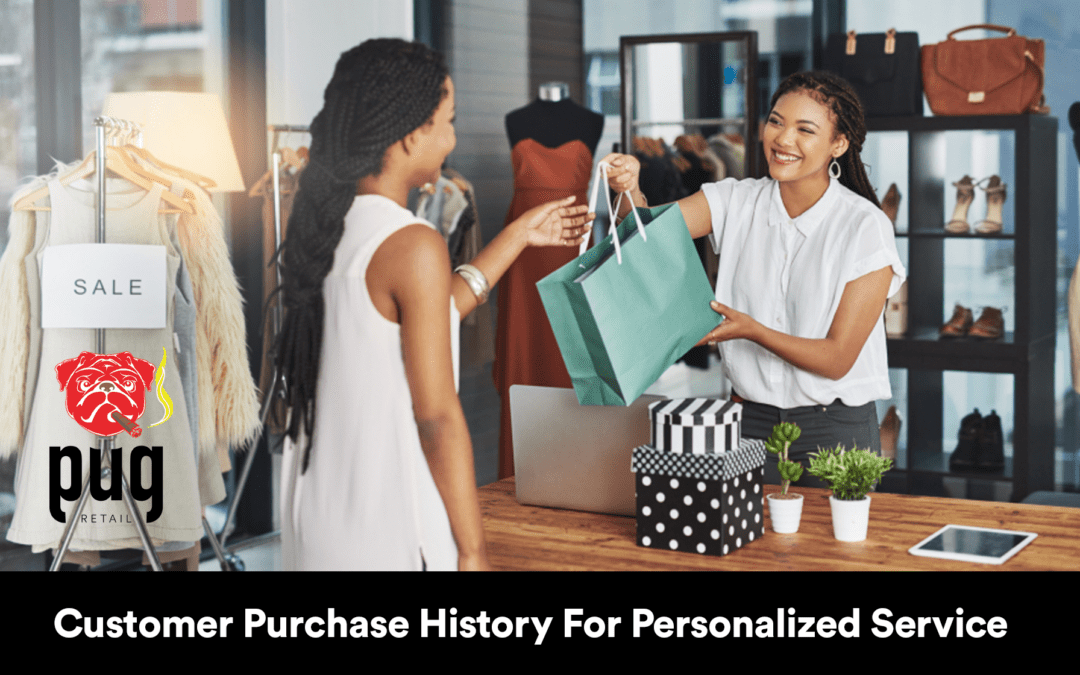
How can you turn the trail of purchases your customers leave behind into meaningful, loyalty-building personalized service?
Customer Purchase History For Personalized Service
Customer purchase history is one of the richest signals you have about preferences, lifecycle stage, and unmet needs. When you use it correctly—with data analytics, CRM systems, AI, and attention to privacy—you can create personalized service that improves customer experience (CX), increases loyalty, and raises lifetime value. This article explains how to collect, analyze, and act on purchase history, offers specific case studies (big and small), and gives a practical playbook for retailers—especially small retailers using pugretail.com (Pug POS). SET UP A FREE DEMO NOW! CALL 800.377.7776
pugretail.com (Pug POS) is designed specifically for small retailers; it is not intended for restaurants or cafes. Bighairydog.com (Big Hairy Dog) provides support for Pug POS and has been providing retailers with POS support for over 30 years, so you have decades of retail-focused help when you need it.
Why personalized service matters today
Personalization is no longer optional. Consumer expectations have changed: people expect you to remember them, provide relevant offers across communication channels, and resolve problems quickly with minimal friction. Good personalization improves customer experience (CX), customer interactions, and customer engagement across channels like email, social media, in-store, and chat. It also supports service automation for routine tasks while giving your customer support agents the right context for complex interactions.
- Customer loyalty: Relevant recommendations and timely outreach keep customers coming back.
- Increased conversion: Personalized suggestions based on purchase history convert at higher rates than generic offers.
- Better resource allocation: Real-time insights and segmentation strategies let you focus attention where it matters.
What exactly is customer purchase history?
Customer purchase history is the record of every product or service a customer has bought from you, including quantities, prices, returns, dates, and associated metadata (store location, salesperson, promotion, channels). But purchase history is more than a list—it becomes powerful when integrated with other customer data:
- Customer data from your CRM (contact info, lifecycle stage)
- Product reviews and user-generated content that show sentiment and preferences
- Social sentiment from platforms monitored by tools like Sprinklr
- Customer interactions across communication channels (email, in-store, chat, social)
- Complex customer profiles that include inferred attributes (size, style, frequency)
Collecting these signals gives you a multidimensional view that supports personalization techniques such as predictive recommendations, targeted offers, restock reminders, and tailored service scripts for customer support agents.
How to collect and manage purchase history well
You need disciplined processes and systems so purchase history is accurate, complete, and usable.
- Centralize customer data in a CRM or master data system. Merge POS transactions (from Pug POS), eCommerce orders, and support histories into single customer profiles.
- Use data analytics to derive features: average order value, product affinity, time-between-purchases, return frequency.
- Track product reviews and user-generated content to add sentiment to profiles.
- Monitor social sentiment using platforms like Sprinklr to capture brand perception and trends.
- Ensure data hygiene: deduplicate, normalize SKUs, and reconcile returns/refunds.
Privacy and compliance: ask for necessary consents, follow local regulations (GDPR, CCPA), and provide clear opt-outs. Privacy concerns shape what data you can collect and how freely you can use it—being transparent increases trust and data quality.
Integrating purchase history with tools: CRM, AI, and Pug POS
Integrations are where purchase history becomes actionable.
- CRM: Map transactions from Pug POS into your CRM so customer profiles are enriched with real purchase behavior. Your CRM becomes the hub for segmentation strategies and communication orchestration.
- AI and data analytics: Apply AI models to identify patterns—e.g., which customers are likely to churn, which products pair well together, and which customers will respond to which promotions. AI gives you real-time insights that let you personalize at scale.
- Social listening (Sprinklr): Combine social sentiment and user-generated content with purchase history to detect dissatisfaction before it escalates and to spot advocacy opportunities.
- Service automation: Use purchase history to trigger automated workflows (e.g., warranty reminders, reorder prompts, returns handling) while routing complex issues to customer support agents with context.
If you’re a small retailer, Pug POS (from pugretail.com) provides the point-of-sale transaction capture you need. Bighairydog.com provides support for Pug POS and has been providing retailers with POS support for over 30 years, so you’re not alone as you extend functionality into CRM and AI tools. Remember: Pug POS is designed for small retailers, not restaurants or cafes.
Personalization techniques you can use with purchase history
Personalization techniques range from simple to advanced. Use a mix, depending on your resources and customers.
- Rule-based personalization: “Customers who bought X get a 10% accessory offer.” Simple and effective for quick wins.
- Behavioral segmentation: Group customers by purchase frequency, average order value, or product categories.
- Predictive recommendations: AI models suggest next purchases based on historical patterns.
- Real-time personalization: Use real-time insights to offer time-sensitive suggestions—e.g., in-session cart recommendations or in-store clerk prompts.
- Contextual service: When a customer calls, show the support agent the last purchases and recent social sentiment to tailor responses.
- Omnichannel orchestration: Ensure the same personalized message is consistent across email, SMS, social DMs, and in-store interactions.
Table: Personalization technique, required inputs, and typical outcome
| Technique | Required Inputs | Typical Outcome |
|---|---|---|
| Rule-based offers | SKU purchase history, basic segmentation | Quick uplift in accessory sales |
| Behavioral segmentation | Order frequency, recency, monetary value | Improved retention via targeted campaigns |
| Predictive recommendations (AI) | Full transaction history, product metadata | Higher AOV and cross-sell conversion |
| Real-time personalization | Live session data + purchase history | Reduced cart abandonment |
| Contextual support | Support history + purchase history + social sentiment | Faster resolution + improved CX |
Real-world case: Lululemon and personalization at scale
Large retailers like Lululemon show how purchase history, loyalty programs, and community content create powerful CX. Lululemon uses membership data, product reviews, community events, and purchase history to deliver personalized product suggestions, event invites, and content—fostering community engagement and repeat purchases. They also leverage user-generated content and ambassador programs to tie social sentiment into purchase campaigns.
Key takeaways from Lululemon:
- Combine product-driven data with community signals to make offers feel authentic.
- Use loyalty insights to prioritize communications to high-value segments.
- Measure ROI by tracking repeat purchase rates and average order value for segments receiving personalization.
Social sentiment, user-generated content, and social media influence
Social media influence affects purchase decisions and amplifies reviews. Monitor social sentiment to discover issues and opportunities:
- Use social listening (tools like Sprinklr) to capture trends, spikes in sentiment around products, and influential user-generated content.
- Incorporate product reviews and UGC into customer profiles—customers who authored positive reviews may be strong candidates for advocacy programs.
- Respond to social mentions with context from purchase history (e.g., “We see you purchased X—can we help with fit or accessories?”), which demonstrates attentive service.
Integrating social sentiment with CRM and purchase history helps you craft messages that feel responsive and personal across communication channels.
Service automation and customer support agents — striking the right balance
Automation speeds routine service: reorder reminders, shipping updates, and warranty claims. But complex interactions need human agents. Here’s how to balance:
- Automate low-complexity flows using purchase history triggers (e.g., “It’s been 90 days since your last filter purchase; reorder now?”).
- Give customer support agents enriched profiles: last purchases, average order value, recent social sentiment, product reviews the customer left. This reduces talk time and increases first-contact resolution.
- Use AI assistance for agents: suggest next-best responses and upsell opportunities based on purchase history.
This mix preserves the human touch where it counts, while gaining efficiency in common tasks.
Small-business strategies: getting personalized service right with Pug POS
As a small retailer, you can achieve meaningful personalization without enterprise budgets.
- Start simple: capture email and phone at POS with Pug POS (pugretail.com). Even basic recency/frequency/monetary (RFM) segmentation yields measurable results.
- Use manual segmentation: create lists in your CRM for VIPs, seasonal buyers, and new customers.
- Trigger low-cost automation: send reorder reminders or thank-you messages based on purchase history.
- Curate experiences: invite loyal customers to in-store previews or offer early access—customer engagement at its most local and personal.
- Monitor ROI: track open rates, redemption rates, and repeat purchase frequency.
Small retailer case study (realistic example):
- A boutique retailer using Pug POS began tagging customers by favorite brand and frequency. They sent targeted accessory offers to frequent buyers and restock reminders to occasional buyers. Within six months, repeat purchase rate rose 12% and average order value increased 8%. Cost was limited to staff time and the automation available through the CRM integration.
Again, Pug POS (pugretail.com) is made for small retailers—not restaurants or cafes. Bighairydog.com provides ongoing support for Pug POS to help you implement these strategies.
Integration of purchase history with AI-driven tools
AI magnifies the value of purchase history by generating predictions and personalization at scale.
- Recommendation engines: Use collaborative filtering and content-based models to suggest products customers are likely to buy next.
- Churn prediction: Predict who’s at risk of leaving based on decreased purchase frequency and engagement signals.
- Pricing and promotion optimization: Use historical purchase behavior to target dynamic offers that maximize margin.
- Conversational AI: Chatbots that access purchase history can handle order inquiries or initiate returns with less friction.
Integration tips:
- Feed clean, timestamped transaction data into AI models.
- Include contextual metadata (store, salesperson, promotion) to improve model accuracy.
- Monitor model bias and fairness—some segments may be underrepresented in data.
Measuring ROI on personalization efforts
You need clear KPIs to justify investment in personalization.
Core metrics:
- Customer lifetime value (CLV) change by segment
- Repeat purchase rate / retention
- Average order value (AOV)
- Conversion lift for personalized vs. non-personalized campaigns
- Net promoter score (NPS) or other CX measures
- Cost to serve (efficiency gains from automation)
Experimentation is vital: run A/B tests that compare personalized messages driven by purchase history against baseline messages. Track incremental revenue and cost changes to calculate ROI.
Example ROI measurement framework:
- Create control and test groups matched on historical behavior.
- Run a 12-week campaign with personalized offers.
- Track revenue per customer and compute incremental revenue attributable to personalization.
- Include operational savings from reduced support time in ROI.
The role of omnichannel strategies in personalization
Omnichannel means consistent personalization across in-store, online, email, SMS, and social. Purchase history should be the authoritative source feeding all these channels so customers receive coherent messages.
- Map customer journeys across channels and identify key touchpoints for personalization.
- Synchronize offers and stock information to avoid paradoxes (e.g., an in-store coupon that’s not valid online).
- Use real-time insights to adapt messages instantly—if someone abandons a cart online after visiting your store, use both channels to reengage.
Omnichannel personalization increases relevance and reduces customer frustration, helping you meet consumer expectations for seamless interactions.
Privacy concerns and responsible use of customer data
Privacy has concrete business implications: customers who distrust you will not share data, and regulators enforce rules. Address privacy proactively:
- Be transparent about what you collect and why; use clear language in opt-ins.
- Limit data collection to what you need for specified purposes.
- Offer easy opt-outs and data access requests.
- Anonymize or aggregate data when used for model training or reporting.
- Keep security practices current to reduce risk of breaches.
Balancing personalization with privacy increases long-term trust, which supports sustainable data collection and richer purchase history.
Common pitfalls and how to avoid them
- Siloed systems: Ensure Pug POS, CRM, web analytics, and social listening tools are integrated to build complex customer profiles.
- Poor data quality: Regularly audit transaction records and reconcile returns.
- Over-personalization: Too many promotions or intrusive messages can feel creepy—pace communications based on customer preference.
- Ignoring offline signals: In-store interactions and product returns are as important as online clicks.
- Failing to measure: Run experiments and measure ROI to iterate effectively.
Tools & vendors to consider
- POS: pugretail.com (Pug POS) — optimizes checkout and captures the transaction-level data you need (for small retailers; not for restaurants/cafes).
- CRM: Choose a CRM that can ingest POS data and unify customer profiles.
- Social listening: Sprinklr is a leader in social sentiment and enterprise social listening, useful for tying social signals to purchase history.
- AI platforms: Use cloud AI services or specialized recommendation engines to build predictive models.
- Review platforms: Gather product reviews and user-generated content to add qualitative context.
Practical personalization playbook (step-by-step for small retailers)
- Capture key identifiers at checkout (email, phone) using Pug POS.
- Centralize data into a CRM and enrich with product reviews and social mentions.
- Segment customers based on RFM and product affinity.
- Design 3 pilot campaigns: a reorder reminder, a VIP early-access offer, and a cart-abandonment recovery message.
- Use simple rules first, then add an AI recommendation for a fourth campaign.
- Measure uplift vs. control groups over 8–12 weeks.
- Scale what works, automate routine flows, and route complex cases to agents with context.
Table: Quick campaign ideas and expected impact
| Campaign | Input needed | Expected uplift |
|---|---|---|
| Reorder reminder | Purchase date, product life | +10–25% reorders |
| VIP offer | High CLV segment | +15% retention |
| Cart recovery | Abandoned cart + purchase history | +8–20% recovered |
| Cross-sell via AI | Product affinity model | +5–15% AOV |
Conclusion
You already have the most valuable resource for personalization: customer purchase history. With careful data management, smart integrations (POS → CRM → AI → social listening), respect for privacy, and a pragmatic omnichannel approach, you can deliver meaningful personalized service that boosts CX and customer loyalty. Small retailers especially can achieve measurable gains by starting simple with Pug POS (pugretail.com), then layering in analytics and automation as you grow.
If you want hands-on help implementing these ideas with a system built for small retailers, SET UP A FREE DEMO NOW! CALL 800.377.7776. Pug POS is tailored for small retail operations (not restaurants or cafes), and Bighairydog.com provides support for Pug POS with over 30 years of POS experience.
Frequently Asked Questions
What is an example of personalized customer experience?
A personalized customer experience might be an email that recognizes a customer’s past purchase of winter running gear and offers a tailored recommendation for cold-weather accessories, includes their preferred size, and offers a timed discount. It feels relevant because it uses that customer’s purchase history and known preferences.
What is the 10/5/3 rule in customer service?
The 10/5/3 rule typically refers to a retail service guideline: acknowledge a customer within 10 feet, make eye contact and smile within 5 feet, and offer assistance within 3 feet. It’s a guideline to create attentive in-store service and improves customer interactions and perceived CX.
What is customer purchase history?
Customer purchase history is the record of all items a customer has bought from you, including dates, quantities, prices, returns, and related metadata. It’s the foundation for segmentation, personalization techniques, predictive analytics, and tailored customer service.
How to create a personalized customer experience?
Start by consolidating customer data from your POS (like pugretail.com), CRM, and social channels, then segment customers by behavior. Use that purchase history to trigger targeted messages, recommend relevant products, automate routine outreach, and provide agents with contextual profiles for complex interactions—always respecting privacy and measuring ROI.