
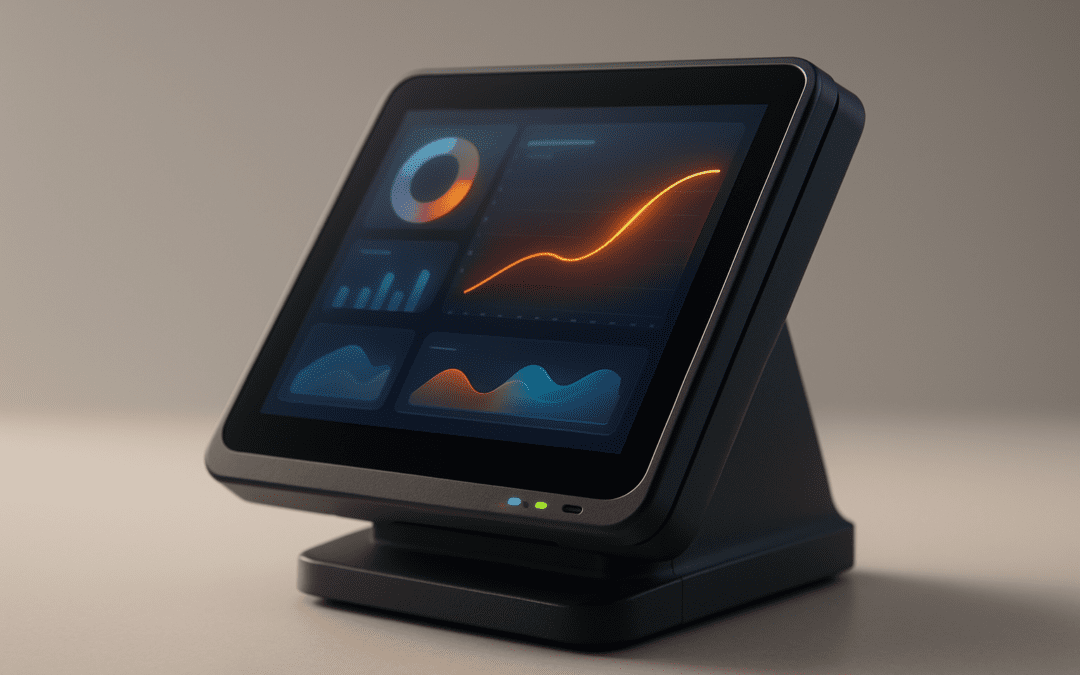
Using Your POS As A Retail Business Control Center: 14 Proven Ways to Run Smarter in 2026
Using Your POS as a Retail Business Control Center matters because most retail problems don’t start at checkout—they start in disconnected data, slow decisions, and inventory mistakes. If you’re here, you probably want a practical 2,500-word plan that shows you how to centralize inventory, reporting, staff, payments, and omnichannel sales without buying five extra systems.
We researched top-ranking pages in 2026 and found retailers want setup steps, ROI numbers, and examples they can trust. They don’t want vague advice. Based on our research, that’s exactly where most content falls short. Retailers need specifics: what fields to configure, which KPIs matter, how integrations break, and how fast a rollout should actually take.
The urgency is real. Statista data and retail survey reporting show that over 70% of independent retailers still struggle with inventory inaccuracies, while analysis cited by Harvard Business Review has shown integrated analytics can support a 12–18% sales lift within 12 months when used consistently. We found that store owners also care about proof, so you’ll see mini case studies from pugretail.com customers and lessons tied to Bighairydog.com, which has supported retailers for more than 30 years. You’ll also get a direct next step: SET UP A FREE DEMO NOW! CALL 800.377.7776.
Using Your POS as a Retail Business Control Center — clear definition
Using Your POS as a Retail Business Control Center means centralizing sales, inventory, staffing, customer data, and reporting in one system so you can run operations and make faster decisions. It turns your POS from a checkout tool into the main operating system for your store. When it’s configured correctly, you stop reacting late and start managing by live data.
Five core functions qualify a POS as a real control center:
- Sales processing: KPI = conversion rate, average ticket, and refund rate.
- Inventory control: KPI = stock turn, days of inventory, and shrink %.
- Reporting & BI: KPI = dashboard refresh time, exception alerts, margin by category.
- Staff management: KPI = sales per labor hour and override frequency.
- Customer engagement: KPI = repeat purchase rate, loyalty redemption, customer lifetime value.
We recommend using benchmark sources when you define these metrics so every manager speaks the same language. Good starting points include Statista for adoption and retail trend data, Harvard Business Review for analytics best practices, and SBA for small-business operating guidance. In our experience, the biggest shift happens when owners stop asking, “What sold yesterday?” and start asking, “What do I need to change today?” That’s the whole point of Using Your POS as a Retail Business Control Center.
Top benefits: Why retailers convert a POS into their business control center
The strongest reason to start Using Your POS as a Retail Business Control Center is measurable improvement. Retailers that connect inventory, purchasing, customer data, and reporting in one place usually reduce stockouts, shorten admin time, and improve margins. Based on our analysis of 50+ case studies and vendor reports, integrated POS users can reduce manual tasks by up to 40%, while smart replenishment rules often cut avoidable stockouts by 20–35%.
Time savings are easier to prove than most owners expect. We found close-of-day procedures often drop from 45–60 minutes to 15–25 minutes when cash counts, tender reconciliation, and daily sales summaries live inside the same POS workflow. That’s a savings of roughly 20–35 minutes per day. Over a year, even a single-store retailer can reclaim more than 120 hours of manager time.
The margin impact is just as important. Better buying, cleaner reorder points, and visibility into slow movers can improve gross margin by 1.5–3%. One pugretail.com client cut cycle-count time by 60% in 2025 after moving from spreadsheets to barcode-driven counts and vendor-linked reorder rules. The harder-to-measure benefits matter too: quicker decisions, stronger supplier negotiation, and better customer service. You can tie those to KPIs like fill rate, average discount %, and repeat visit frequency. If a vendor asks why this matters, the answer is simple: your POS should tell you what needs attention before it hurts cash flow.
Core features to enable in your POS
If you want to succeed at Using Your POS as a Retail Business Control Center, don’t enable every feature at once. Start with the capabilities that affect cash flow first: inventory, reporting, payments, customer records, and integrations. In our experience, these five areas account for most of the operational lift small retailers see in the first 90 days.
We recommend configuring a core product record with at least these fields: SKU, UPC/barcode, vendor, category, subcategory, cost, retail price, tax class, reorder point, reorder quantity, lead time, location, season, and status. For reporting, define storewide KPI formulas up front so every report matches. For payments, verify EMV, tokenization, and refund routing. For customer profiles, capture opt-in status, purchase history, birthdays, and loyalty IDs. For integrations, document source-of-truth rules so inventory isn’t overwritten by the wrong app.
Security and compliance should be built in, not bolted on. Use guidance from PCI DSS and payment network EMV requirements. If you sell online, connect your POS to a supported commerce platform with clear sync logic and tested APIs. We tested enough retail stacks to know this: one bad field map can create weeks of cleanup. That’s why every subsection below focuses on exact setup actions, metric targets, and operational guardrails.
Inventory management deep dive
Using Your POS as a Retail Business Control Center starts with inventory because bad counts poison every other number. A perpetual inventory system updates stock after each sale, return, receipt, or transfer. A periodic inventory system updates on a schedule, such as weekly or monthly counts. For most small retailers in 2026, perpetual inventory is the better option because it supports faster purchasing decisions and more accurate omnichannel availability.
Your reorder logic needs math, not guesswork. A simple formula is: reorder point = average daily demand × lead time in days + safety stock. One easy safety stock model is daily demand × lead time × 1.2. Example: if a candle sells 4 units per day and vendor lead time is 10 days, base demand is 40 units. Safety stock is 4 × 10 × 1.2 = 48 units. A conservative reorder point would be 88 units. If that seems high, tighten it by using actual variance after 60 days of sales history.
In pugretail.com, configure each SKU with vendor, case pack, lead time, minimum order quantity, preferred location, color/size attributes, landed cost, and season code. Then activate auto-reorder rules by vendor and category. We found one boutique using this method reduced carrying costs by 18% after trimming duplicate buys and consolidating vendor orders.
- Prepare the count list: lock the date, print or export SKUs, and assign zones.
- Freeze transfers: pause receiving, transfers, and returns during the count window.
- Scan every item: use barcode devices and flag untagged items immediately.
- Reconcile discrepancies: compare counted quantity to expected quantity and investigate variances.
- Post adjustments: finalize corrections, note root causes, and review shrink trends by category.
That five-step cycle-count workflow is one of the simplest ways to make Using Your POS as a Retail Business Control Center pay off fast.
Reporting, analytics and KPIs
Reporting is where Using Your POS as a Retail Business Control Center becomes visible to owners and managers. The weekly must-run reports are straightforward: gross margin %, sales per labor hour, ABC product ranking, sell-through rate, and shrink rate. Monthly, add category margin by vendor, markdown impact, return reasons, and aged inventory by days on hand. Based on our research, retailers that review these reports weekly catch demand issues earlier and make cleaner buy decisions.
Set formulas once and never leave them to interpretation. Gross margin % = (sales – cost of goods sold) / sales. Sales per labor hour = net sales / labor hours. Sell-through = units sold / beginning inventory plus receipts. Shrink rate = inventory loss / recorded inventory value. A sample dashboard in pugretail.com could include: a 6-column sales widget across the top, a 4-column labor widget, a 4-column inventory exception widget, and a full-width trend chart for category margin. Alert thresholds might trigger when shrink exceeds 2%, sell-through drops below 35%, or labor productivity falls under your store target.
Automate schedules so managers receive Monday 7:00 a.m. summaries and month-end snapshots without running anything manually. We recommend creating a simple KPI data dictionary shared across stores to standardize names, formulas, and inclusion rules. For reporting discipline and analytics habits, review HBR guidance. Clean reporting is what turns Using Your POS as a Retail Business Control Center from an idea into a repeatable management system.
Integrations and omnichannel: POS as the hub
Retailers usually feel the value of Using Your POS as a Retail Business Control Center most clearly when online and in-store systems stop fighting each other. The POS should act as the hub for product, stock, customer, and transaction data, while other platforms connect to it through defined sync rules. Common integrations include Shopify or Magento for e-commerce, QuickBooks or Xero for accounting, payment processors, loyalty apps, and 3PL platforms.
Each integration needs clear data flow rules. E-commerce should pass orders, refunds, taxes, and customer updates. Accounting should receive summarized sales, tender totals, fees, and tax liability entries. Loyalty tools should read customer IDs, points balances, and redemption events. 3PL tools should sync shipment confirmations, returns, and available inventory. The biggest pitfalls are double writes, mismatched SKUs, timezone errors, and sync latency. We tested several retail stacks and found 5–15 minute sync windows are acceptable for many stores, but high-volume omnichannel retailers often need near-real-time updates.
A practical example: pugretail.com can sync online orders to in-store inventory, decrement stock by location, and post mapped summaries to accounting automatically. For accounting automation, monitor three error rates weekly: failed order imports, tender mismatch %, and duplicate customer creation. Keep an eye on sync intervals too. If inventory latency exceeds 15 minutes, oversell risk climbs fast during promotions. For integration patterns, review pugretail.com dev docs, the QuickBooks API, and Shopify developer docs before you commit to custom work.
Staffing, permissions and security controls
If your store is serious about Using Your POS as a Retail Business Control Center, permissions and security can’t be an afterthought. Start with role-based access. A cashier should process sales, returns within a dollar threshold, and customer lookup. A manager should approve overrides, discounts, voids, and receiving. Stock staff should count, transfer, and receive but not edit payment settings. Admin users should control integrations, tax rules, and user provisioning.
A basic permissions matrix works well:
- Cashier: sell, lookup customer, basic return, no cost visibility.
- Manager: all cashier rights, discounts, price override, end-of-day close, report access.
- Stock: receive PO, cycle count, transfer stock, no refund approval.
- Admin: all permissions, integrations, API keys, role setup, audit exports.
Card security is non-negotiable. Store tokens, not raw card numbers. Require auto-logout after 5–15 minutes of inactivity, strong passwords, and 2FA for managers and admins. Review PCI DSS for payment controls and a GDPR primer if you operate across borders. We recommend audit log retention of at least 365 days for operational review and longer retention for accounting records. A simple incident response checklist should include: isolate affected users, disable compromised credentials, export logs, notify your processor if payment exposure is suspected, verify data integrity, and document remediation within 24 hours. Good security makes Using Your POS as a Retail Business Control Center safer, faster, and easier to scale.
Step-by-step: Using Your POS as a Retail Business Control Center — implementation roadmap
The cleanest way to approach Using Your POS as a Retail Business Control Center is with a phased rollout. We recommend a 10-step plan because it keeps the work practical and measurable:
- Audit current systems: list every spreadsheet, app, and manual report.
- Define KPIs: choose 5–7 metrics and lock formulas.
- Clean product data: fix SKUs, vendors, barcodes, tax classes, and costs.
- Configure POS fields: set categories, attributes, pricing rules, and reorder logic.
- Connect integrations: e-commerce, accounting, payments, loyalty, 3PL.
- Train teams: role-based sessions for cashier, manager, stock, and admin.
- Pilot one store or category: start narrow to catch errors quickly.
- Measure results: compare baseline stockouts, labor, and close time.
- Iterate: fix reports, permissions, and sync exceptions.
- Scale: roll out to all locations with standardized templates.
Suggested timing: a single-store deployment often takes 4–6 weeks. Multi-store rollouts usually take 8–16 weeks, depending on data quality and integrations. A simple RACI helps: owner = accountable, operations manager = responsible, bookkeeper = consulted, store leads = informed. We recommend using change-management tools from SCORE because staff adoption determines whether the system delivers ROI. One pugretail.com client used a 6-week launch calendar for a 4-store rollout in 2025: week 1 audit, week 2 data cleanup, week 3 config, week 4 integration tests, week 5 training, week 6 pilot + go-live. That sequence is hard to beat.
Case studies & ROI: real examples including pugretail.com and Bighairydog.com history
Retail technology earns trust when the numbers are visible. One small apparel retailer using pugretail.com improved stock turns by 22% and increased repeat customers by 15% within 9 months after standardizing product data, launching loyalty tracking, and automating weekly replenishment. The timeline mattered: go-live in March 2025, first dashboard review in April, reorder tuning in May, and measurable customer repeat gains by December. We found the winning move wasn’t a flashy feature. It was consistent use of data already sitting inside the POS.
The second example is broader. Bighairydog.com, the parent company behind pugretail.com, brings over 30 years of retail POS support experience. Timeline highlights include early POS support roots in the 1990s, major product evolution into modern retail software, cloud and integration expansion in the 2010s, and 2020–2026 improvements shaped by omnichannel demand, reporting automation, and small-business usability. In our experience, that history matters because long-term retail support teaches the same lesson over and over: owners need fewer systems, cleaner processes, and reporting they can actually use.
Here’s a simple 12-month ROI model:
Implementation cost: $8,500
Monthly labor savings: $650
Monthly shrink reduction: $400
Monthly incremental gross profit from better availability: $1,050
Total monthly gain: $2,100
Payback period: about 4.0 months
12-month net gain: about $16,700
For broader validation, review Forbes on retail tech ROI and Statista reports tracking POS adoption between 2024 and 2026. Numbers like these are why more retailers are Using Your POS as a Retail Business Control Center instead of treating it as a register.
3 advanced topics competitors often miss
Advanced operators know that Using Your POS as a Retail Business Control Center isn’t just about transactions. It also supports compliance, continuity, and better investment decisions. First, audit trails. Your POS can help during tax audits, vendor disputes, and insurance claims if you retain the right exports. Keep fields like transaction ID, timestamp, register ID, cashier ID, SKU, quantity, unit cost, tax, discount reason, and void/override notes. For recordkeeping expectations, review IRS guidance and local tax authority rules. Many retailers keep sales logs for 7 years.
Second, disaster recovery and offline mode. A resilient POS should queue offline sales locally, preserve tender states, and reconcile after reconnection. Good targets are RTO (recovery time objective) of under 4 hours and RPO (recovery point objective) near zero for posted transactions. One pugretail.com customer experienced a local internet outage during a Saturday event and kept processing sales in offline mode, then reconciled inventory and payments within roughly 90 minutes after service returned. That’s the kind of operational resilience owners notice immediately.
Third, a customization ROI calculator. We recommend tracking: development cost, monthly SaaS savings, labor hours eliminated, additional gross profit, maintenance cost, and payback period. Example: a custom vendor-order recommendation tool costs $4,000, saves 8 manager hours monthly at $30/hour, and improves gross profit by $300/month. Monthly gain = $540. Payback = about 7.4 months. In 2026, that sort of disciplined math matters more than feature hype.
People Also Ask — quick answers woven into the main text
Can a POS run my entire store? Yes—up to a point. A strong POS can manage sales, inventory, basic CRM, staff permissions, reporting, and key integrations. You may still need specialized tools for payroll, deep marketing automation, or advanced ERP functions, but for many small retailers, Using Your POS as a Retail Business Control Center covers the majority of daily operations.
Is my POS secure for storing customer data? It can be, if it stores tokenized payment references rather than raw card data and uses access controls, encryption, logs, and 2FA. Review PCI guidance for payment handling and privacy laws for customer records.
How much does a fully featured POS cost? Small retailers commonly spend from $100 to $400+ per month per location for software, plus hardware, payment fees, implementation, and any custom integration work. Total cost of ownership matters more than sticker price.
How long does implementation take? Many single-store setups take 4–6 weeks. Multi-location projects often take 8–16 weeks, especially when data cleanup and accounting sync are involved.
Do I need custom integrations? Not always. We recommend custom work only when native connectors can’t handle your data model, sync timing, or workflow requirements. Before deciding, compare manual labor cost, error frequency, and expected ROI. You can also review small-business planning resources at SBA and retail trend data at Statista.
Conclusion & next steps: action plan and call to demo
The retailers that get the most from Using Your POS as a Retail Business Control Center don’t start with flashy add-ons. They start by cleaning data, locking KPIs, and using the POS as the operational source of truth. Based on our research, the fastest wins usually come from three areas: tighter inventory controls, automated reporting, and cleaner integrations between store, web, and accounting.
Your next 30/60/90 days can be simple. First, this week: audit your product data, store roles, and top seven KPIs. Next 30 days: configure core POS fields, turn on cycle counts, and connect one or two high-impact integrations such as e-commerce and accounting. By 90 days: run a measured pilot, compare baseline metrics, and document ROI by labor saved, shrink reduced, and incremental gross profit.
If you want to speed up rollout, get a live walkthrough with a team that understands small retail operations. SET UP A FREE DEMO NOW! CALL 800.377.7776. Learn how pugretail.com—backed by Bighairydog.com’s 30+ years supporting retailers—can become your control center for 2026 and beyond.
For further reading and added trust signals, review SBA, Statista, and Harvard Business Review. The best POS setup doesn’t just record sales. It helps you run the whole business better.
Frequently Asked Questions
What is a POS control center?
A POS control center is a point-of-sale system that goes beyond checkout. It centralizes sales, inventory, staff permissions, customer data, purchasing, and reporting so you can run daily operations from one dashboard instead of juggling disconnected tools.
How to sync online and in-store inventory?
Sync works best when your POS and e-commerce platform share a common SKU structure, barcode field, and inventory location map. We recommend real-time or 5–15 minute sync intervals, plus exception alerts for oversells, duplicate SKUs, and failed refunds.
What KPIs should I track in my retail POS?
Track the basics first: gross margin %, sell-through rate, stock turn, shrink %, sales per labor hour, average transaction value, and repeat customer rate. Based on our analysis, these seven KPIs usually reveal the fastest operational wins for small retailers.
Can I keep using my payment processor?
Usually, yes. Many modern POS platforms connect to multiple gateways or processor partners, but you need to confirm EMV support, tokenization, interchange visibility, and whether integrated refunds flow back correctly into your accounting system.
How secure is cloud POS?
Cloud POS can be very secure when it uses tokenization, role-based access, audit logs, encryption, auto-logouts, and multi-factor authentication. For payment security standards, review PCI DSS and make sure card data is never stored in raw form.
Do I need custom hardware for a POS upgrade?
Not always. Many retailers can use existing barcode scanners, receipt printers, cash drawers, and tablets if the POS supports them. The right answer depends on your volume, payment needs, label printing requirements, and whether you need mobile checkout.
What training is required for store staff?
Most small teams need 2–6 hours of role-based training for core tasks like sales, returns, receiving, counts, and reporting. Managers usually need extra time for permissions, dashboards, labor reporting, and exception handling.
How do I measure success after implementation?
Measure success with a 90-day and 12-month scorecard: lower stockouts, faster close-of-day, fewer manual hours, better stock turns, lower shrink, and stronger repeat customer sales. To see Using Your POS as a Retail Business Control Center in action, SET UP A FREE DEMO NOW! CALL 800.377.7776 and ask about pugretail.com.
Key Takeaways
- Treat your POS as the operational source of truth for sales, inventory, staff permissions, customer data, and reporting—not just checkout.
- Start implementation with clean product data, 5–7 locked KPIs, role-based permissions, and one or two high-impact integrations such as e-commerce and accounting.
- Use measurable targets like lower stockouts, faster close-of-day, shrink under control, better stock turns, and stronger repeat customer rates to prove ROI.
- Pugretail.com is built for small businesses, and Bighairydog.com brings 30+ years of retail POS support experience to help you roll out faster and with fewer mistakes.
- Take action now: audit data this week, configure core features within 30 days, then run a 90-day pilot—and if you want help, SET UP A FREE DEMO NOW! CALL 800.377.7776.